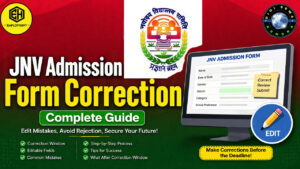
JNV Admission Form Correction 2027
Hello guys, how are you all? Hope you are doing well.
If you have already submitted your Jawahar Navodaya Vidyalaya (JNV) Admission 2027 application form and later realized that you’ve entered incorrect information, there’s no need to panic. The Navodaya Vidyalaya Samiti (NVS) provides an official Form Correction Window for a limited period after the registration process closes.
This correction facility allows eligible candidates to edit certain details in their application before the final verification process begins. In this article, we’ll explain everything you need to know about the JNV Form Correction 2027, including the correction process, editable fields, common mistakes, and important tips.
What is the JNV Form Correction Window?
The JNV Form Correction Window is an official facility provided by Navodaya Vidyalaya Samiti (NVS) that allows applicants to correct mistakes made while filling out the online admission form.
After the application deadline ends, NVS usually opens the correction window for a few days. During this period, students and parents can log in to the admission portal and update eligible details.
Note: The correction window remains open only for a limited time, so make the necessary changes as soon as possible.
Also Read : Assam JNV Admission 2027 – Online Apply For JNVST
How to Correct Your JNV Admission Form
Follow these simple steps to edit your application:
Step 1: Visit the Official Website
Go to the official Navodaya website:
- https://navodaya.gov.in
- Or visit the official NVS Admission Portal.
Step 2: Login to Your Account
Login using:
- Application Registration Number
- Password or Date of Birth (as required)
Step 3: Open the Correction Window
Once logged in, click on the Application Correction or Edit Form option available on your dashboard.
Step 4: Make the Required Changes
Correct the incorrect information carefully.
If required, upload fresh copies of supporting documents that are clear and readable.
Step 5: Submit the Updated Form
Before submitting:
- Verify every detail carefully.
- Save the changes.
- Download and keep the updated confirmation page for future reference.
Details You Can Usually Edit
During the official correction period, NVS generally allows applicants to edit information such as:
- Candidate’s Name
- Date of Birth
- Gender
- Category (General/SC/ST/OBC)
- Parent Details
- Residential Details (where permitted)
- Uploaded Documents (if required)
The editable fields may vary depending on the official notification issued by NVS.
Common Mistakes That Can Lead to Problems
1. Wrong District or State
This is one of the most serious mistakes.
Admission to Jawahar Navodaya Vidyalayas is based on the candidate’s district. If you accidentally selected the wrong district or state, correct it immediately during the correction window. Failure to do so may result in rejection during document verification.
2. Incorrect Rural or Urban Status
Choose your Rural or Urban category exactly as mentioned in your official records.
Providing incorrect information may create issues during verification.
3. Wrong Category Selection
Ensure that your category (General, SC, ST, or OBC) matches your official caste certificate.
Incorrect category selection can affect eligibility and reservation benefits.
4. Incorrect Date of Birth
Always ensure that your Date of Birth matches:
- Aadhaar Card
- School Records
- Class 5 or Class 8 Mark Sheet (as applicable)
Any mismatch may cause disqualification during verification.
What If the Correction Window Has Closed?
If the correction window is no longer available, you may not be able to edit the application online.
In such cases, you should:
- Contact the Navodaya Vidyalaya Samiti (NVS) immediately.
- Reach out to your nearest Jawahar Navodaya Vidyalaya.
- Explain the issue and ask whether manual correction is possible.
Keep your application number and supporting documents ready before contacting the authorities.
Tips Before Submitting the Corrected Form
To avoid future issues:
- Review every field carefully.
- Match all details with official documents.
- Upload clear scanned copies.
- Keep a copy of the updated application.
- Do not wait until the last day of the correction window.
Final Words
The JNV Admission Form Correction Window 2027 is a valuable opportunity for students who have made mistakes while submitting their application. Even a small error in details like your district, date of birth, or category can create problems during document verification.
If the correction window is open, log in as early as possible, verify every detail, and submit the corrected application before the deadline.
Staying careful now can help ensure a smooth admission process later.
Frequently Asked Questions (FAQs) :
Can I change my district in the application form?
Yes, if the correction window allows it. Make sure the district matches your place of residence and eligibility criteria.
What login details are required to edit the application?
You generally need your Application Registration Number and Password or Date of Birth.
What happens if I miss the correction window?
You should contact the official NVS authorities or your nearest Jawahar Navodaya Vidyalaya and request guidance for manual correction, if permitted.
1 thought on “Jawahar Navodaya Vidyalaya (JNV) Admission Form Correction : Edit Your Navodaya Application Guide”